Change or reset your password

Follow the below  steps to reset your account password  :

1- login to webmail by visiting the URL: https://webmail.cyberia.net.sa

2- Click on the “gear” icon in the bottom left corner.
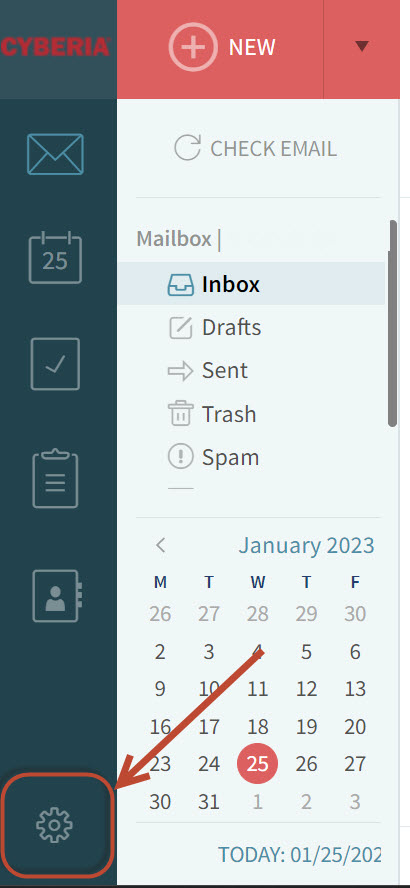
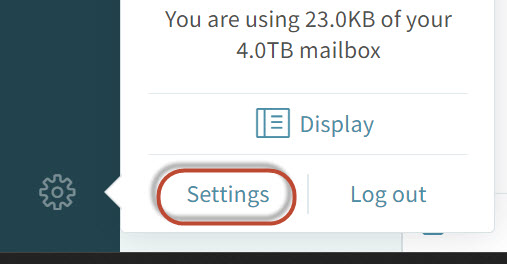
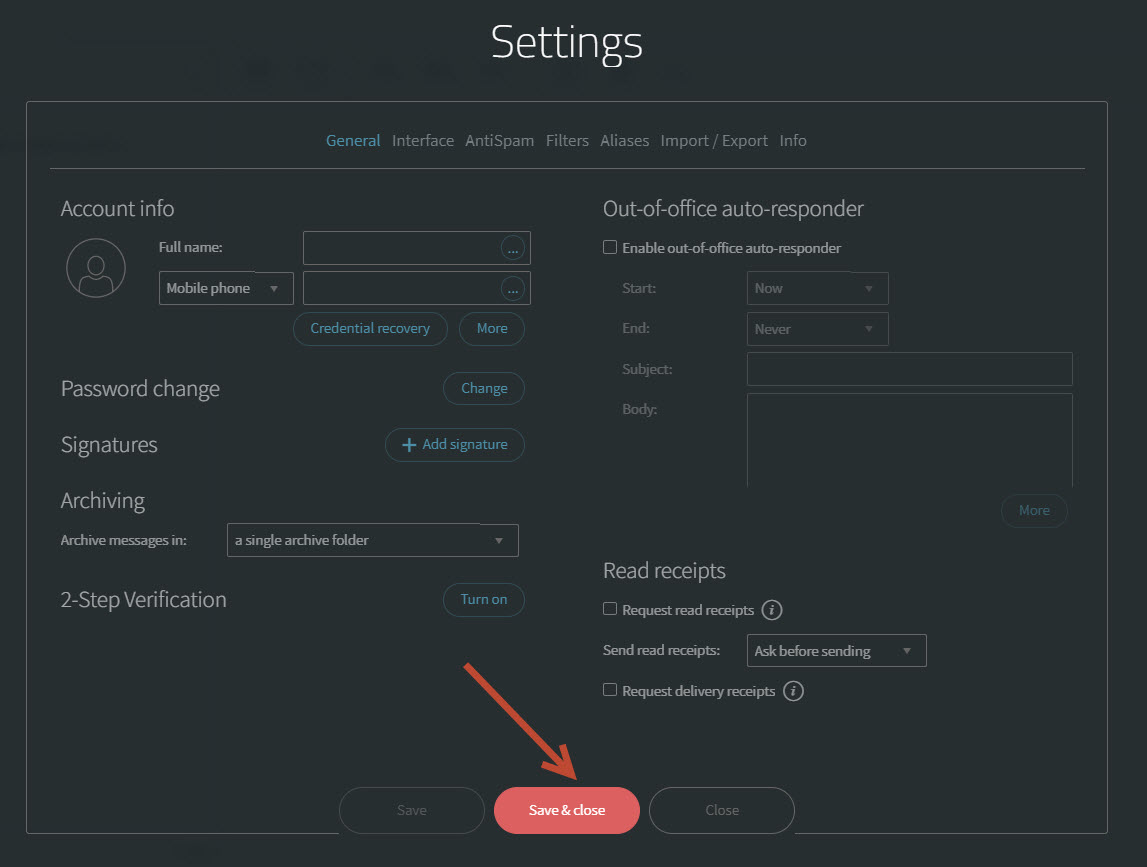
 2- Click on Setttings .
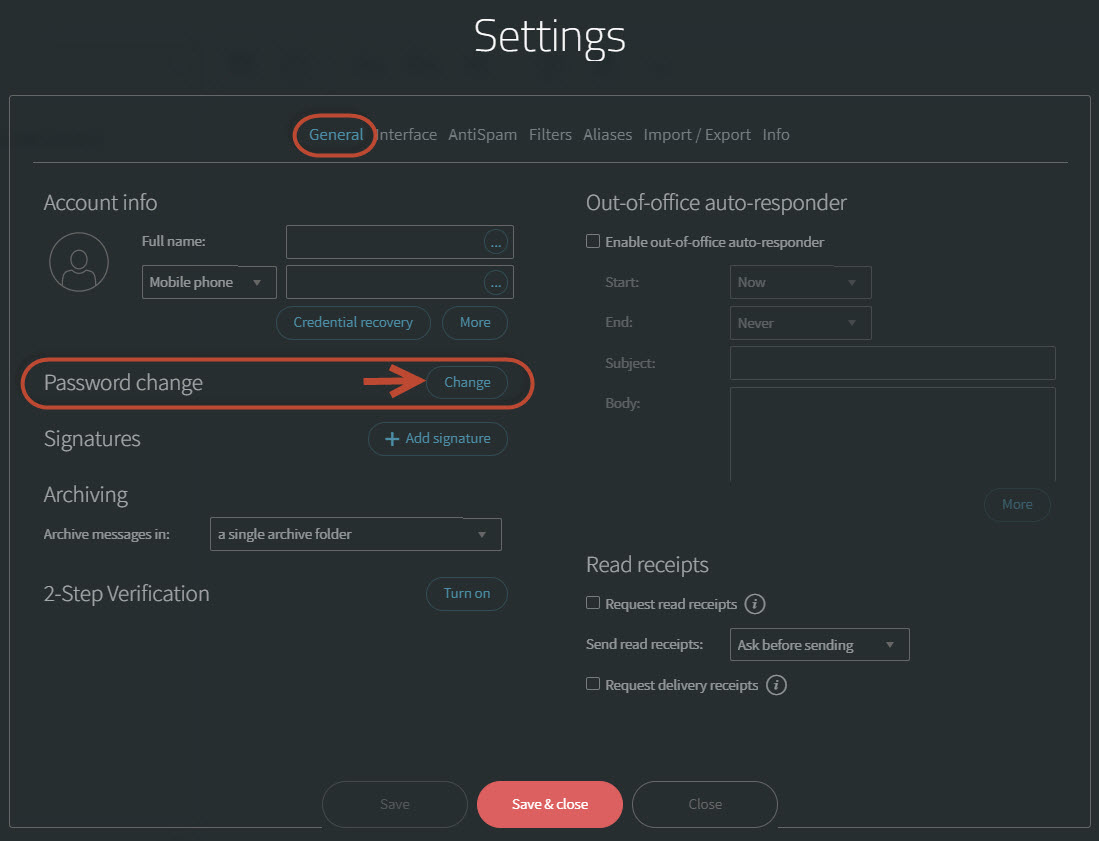
3-  under the General tab click on the Change button. 
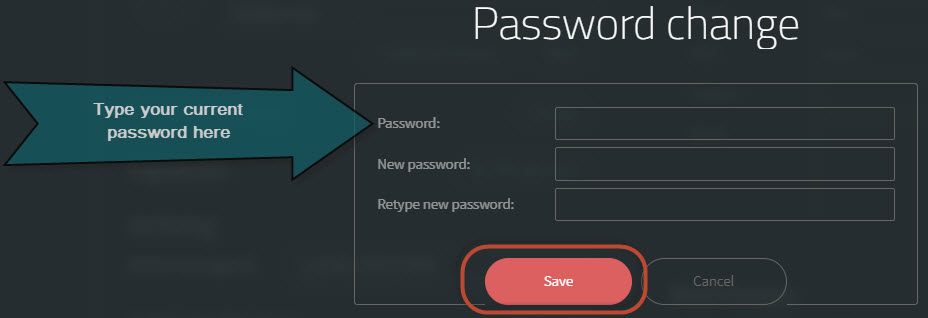
4- Type your current password and the New password then Save button , Please note that your new password must meet the following complexity requirements:

  • At least 8 characters in length
  • The password must include letters, numbers and special characters
5-  Finally, Clich on Save & Close button .


  • 2 A felhasználók hasznosnak találták ezt
Hasznosnak találta ezt a választ?

Kapcsolódó cikkek

How to transfer your domain to Cyberia

Below is the procedure for domain transfer to Cyberia.1) The customer has to provide us with the...

How do I manually configure Outlook for my E-Mail Accounts

In Microsoft Outlook 2007, from the Tools menu, select Account Settings. On the E-mail tab,...

Outlook IMAP Configuration

Dear Valued customer,    Please be informed that Cyberia will be migrating your Emails from...

Outlook POP & IMAP Configuration

  POP3 Configuration      IMAP Configuration :    

Create New Emails

-visit the admin control panel URL via https://webmail.cyberia.net.sa:9443/ Enter the control...