Change or reset your password

Follow the below  steps to reset your account password  :

1- login to webmail by visiting the URL: https://webmail.cyberia.net.sa

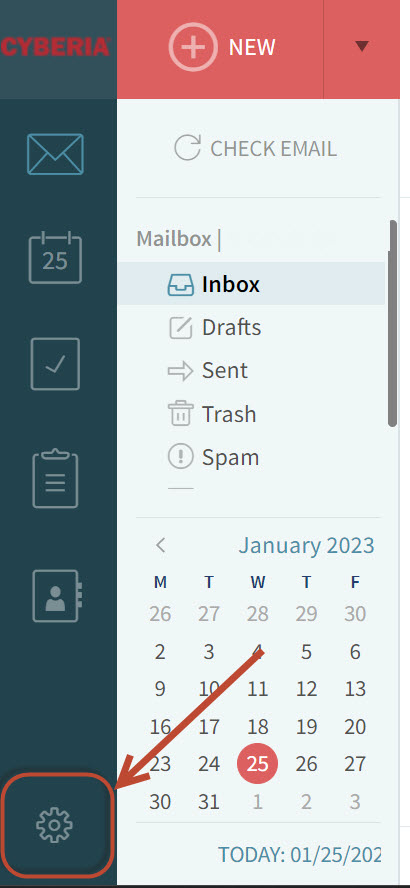
2- Click on the “gear” icon in the bottom left corner.
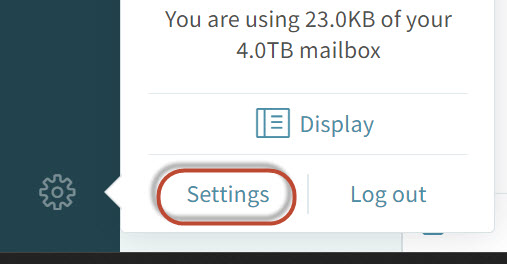
 2- Click on Setttings .
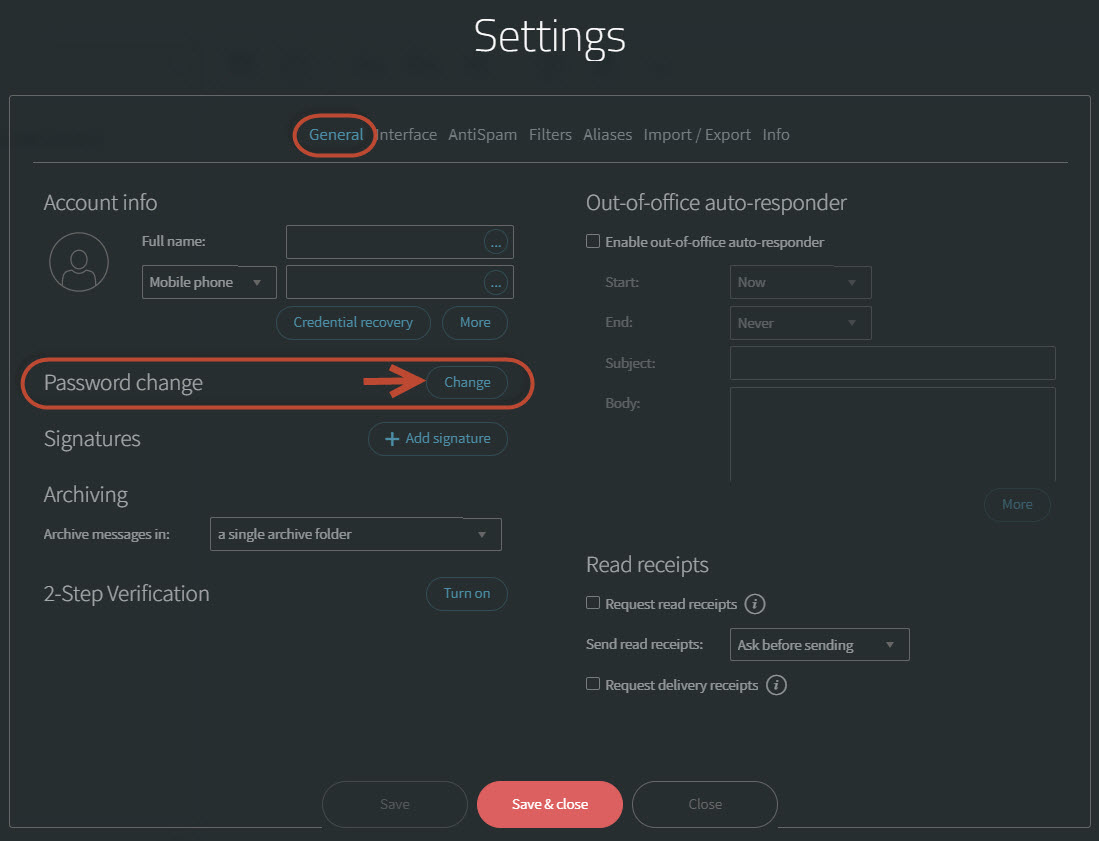
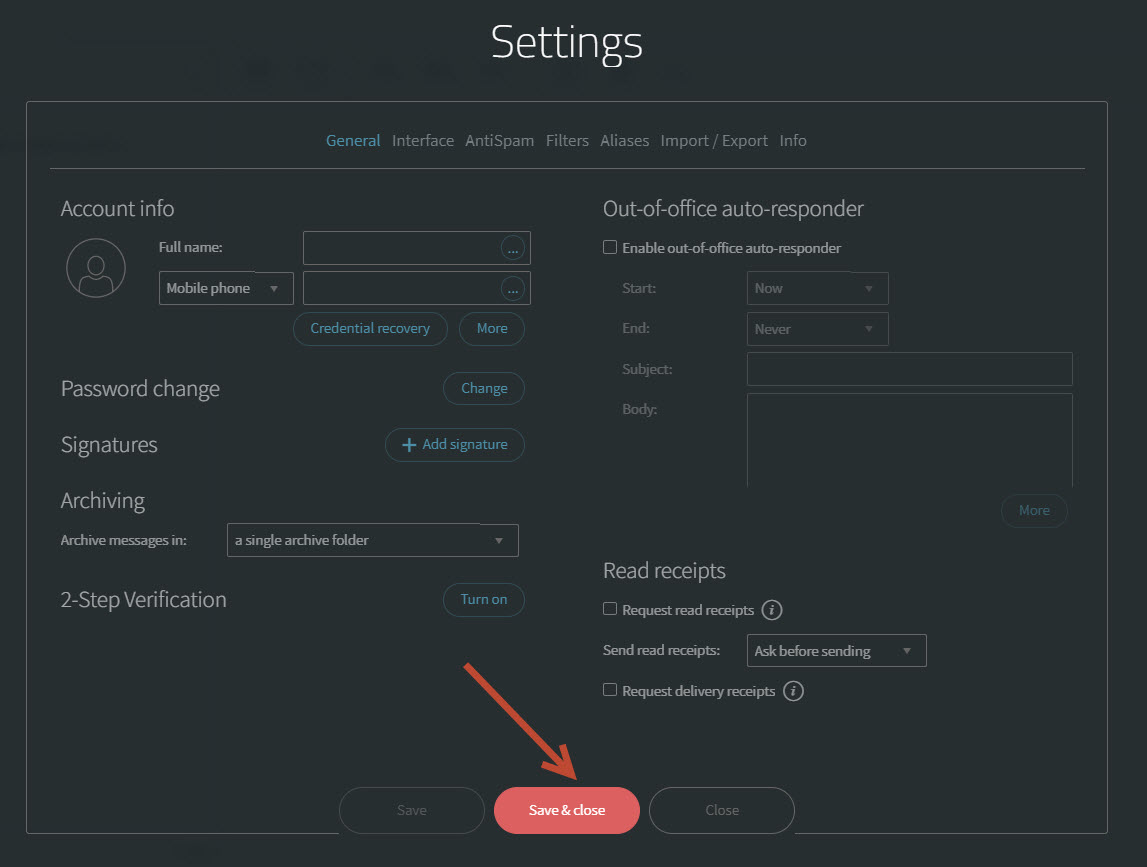
3-  under the General tab click on the Change button. 
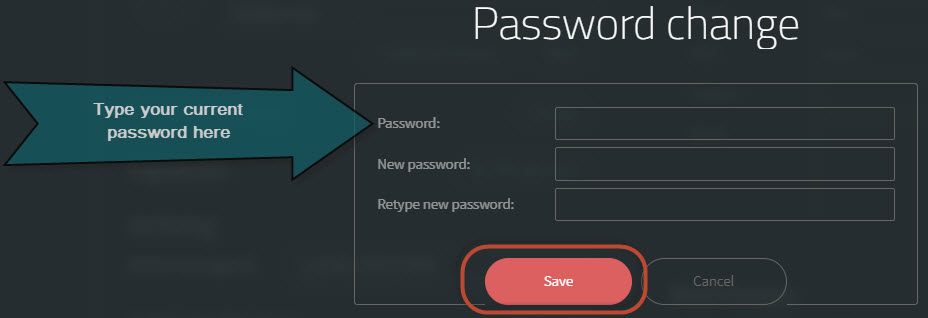
4- Type your current password and the New password then Save button , Please note that your new password must meet the following complexity requirements:

  • At least 8 characters in length
  • The password must include letters, numbers and special characters
5-  Finally, Clich on Save & Close button .


  • 2 Usuários acharam útil
Esta resposta lhe foi útil?

Artigos Relacionados

How to transfer your domain to Cyberia

Below is the procedure for domain transfer to Cyberia.1) The customer has to provide us with the...

How do I manually configure Outlook for my E-Mail Accounts

In Microsoft Outlook 2007, from the Tools menu, select Account Settings. On the E-mail tab,...

Outlook IMAP Configuration

Dear Valued customer,    Please be informed that Cyberia will be migrating your Emails from...

Outlook POP & IMAP Configuration

  POP3 Configuration      IMAP Configuration :    

Create New Emails

-visit the admin control panel URL via https://webmail.cyberia.net.sa:9443/ Enter the control...